
For families
Everyone who looks out for them joins one family circle, free, on their own phone. Nobody needs to install an app.
The family circle
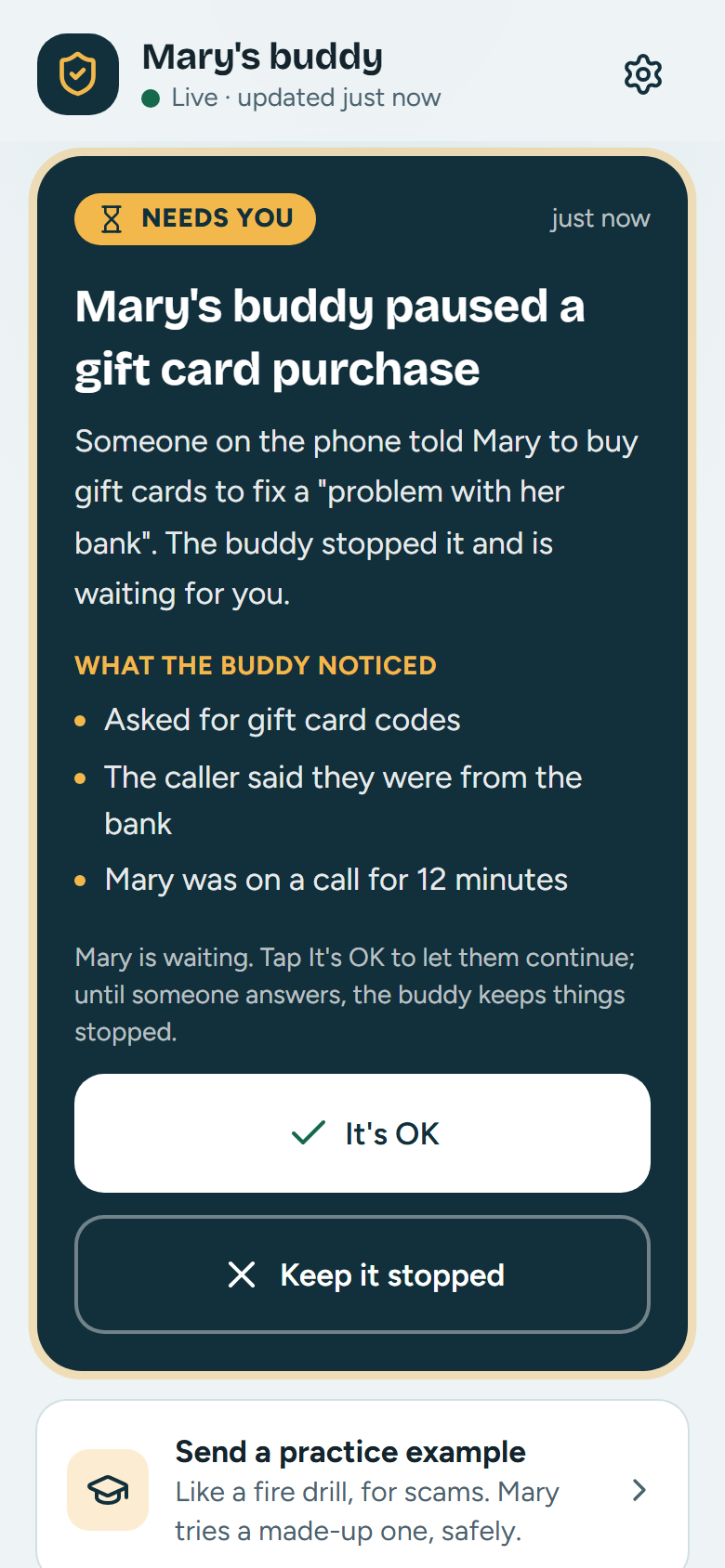
Everyone who joins sees the same live timeline on their phone, with an alert even when the app is closed. The first answer counts.
If you say Keep it stopped, the continue button disappears from their screen. If you say It's OK, they can carry on, and the message carries your name.
Until someone answers, the stop card stays up.
It works the other way too. When your parent is stuck, they press Ask my family for help, or just say “ask my son…”. They see exactly what will be sent before it goes, and a picture of their screen only if they check the box.
You get a Needs help card with quick replies, like “I'll call you in 5 minutes” or “Don't click anything, wait for me.” You can be the geek in the family without being on the phone every time.
What the family sees, and what it can't
The family gets a question, not a view of their screen. Their Geek tells the person at the computer what it shares.
What your family sees
- When their Geek pauses or warns about something, in a sentence or two
- When your parent asks the family for help, and exactly what they chose to send
- A short note about the day, each evening
- How a practice example went
- One kind heads-up if a chat keeps looking like a romance or investment scam
- When a phone is connected as their own
What your family can't see
- Their screen. There is no live view and no recording
- Passwords, or anything typed into a form
- Their files, photos or browsing history
- Anything, once they leave the circle
- Their chats and messages. A heads-up never includes them
- What's on their phone, apart from what they choose to send their Geek
Everything their Geek noticed and said is kept in a log on the computer, so nothing happens behind anyone's back.
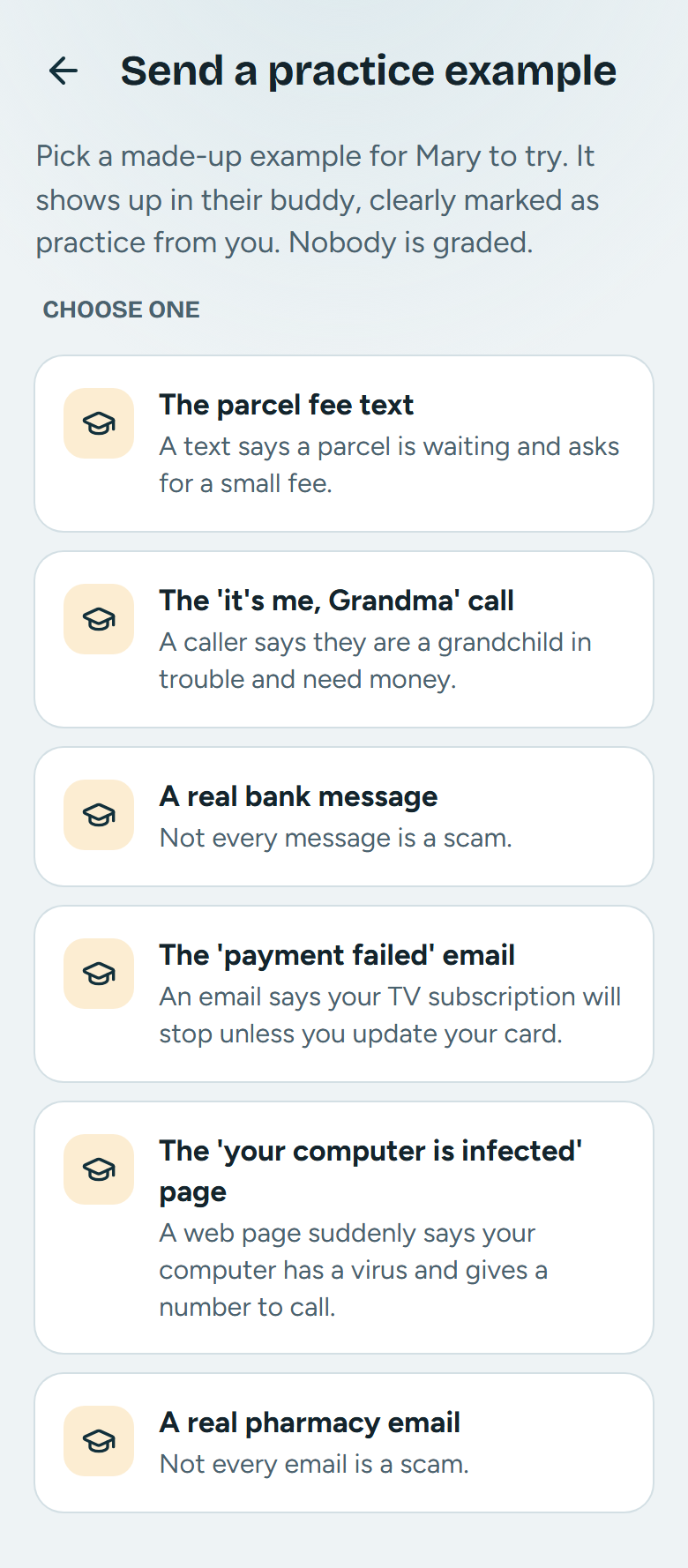
Send a practice scam
You can send one from your phone, like the parcel fee text or the "it's me, Grandma" call. You'll see how it went. Nobody is graded. There are lessons on romance and investment chats too, because those take weeks, not minutes.
Some examples are real, ordinary messages, because not every message is a scam.
Reserve a spot for your family
Pay nothing today. Free during the beta; you'll see the final price, and say yes, before anything is charged.